GitHub Copilot Customization Explained for Beginners: Instructions, Prompt Files, Skills, Agents, and Hooks Introduction If you've recently started using GitHub Copilot, you've probably come across terms like Instructions , Prompt Files , Skills , Agents , and Hooks . At first glance, they all seem to do the same thing—they tell Copilot what to do. So why does GitHub have five different customization features? The answer is simple: each feature solves a different problem. Think of GitHub Copilot as a new developer joining your team. On their first day, you don't just hand them code. You explain your coding standards, give them reusable templates, teach them specialized knowledge, assign them a role, and automate repetitive tasks. That's exactly how GitHub Copilot customization works. In this article, you'll learn what each feature does, when to use it, and how they all work together. By the end, you'll know which feature to start with and which ones can wait un...
Posts
Azure Function in a Docker Container - Part 1
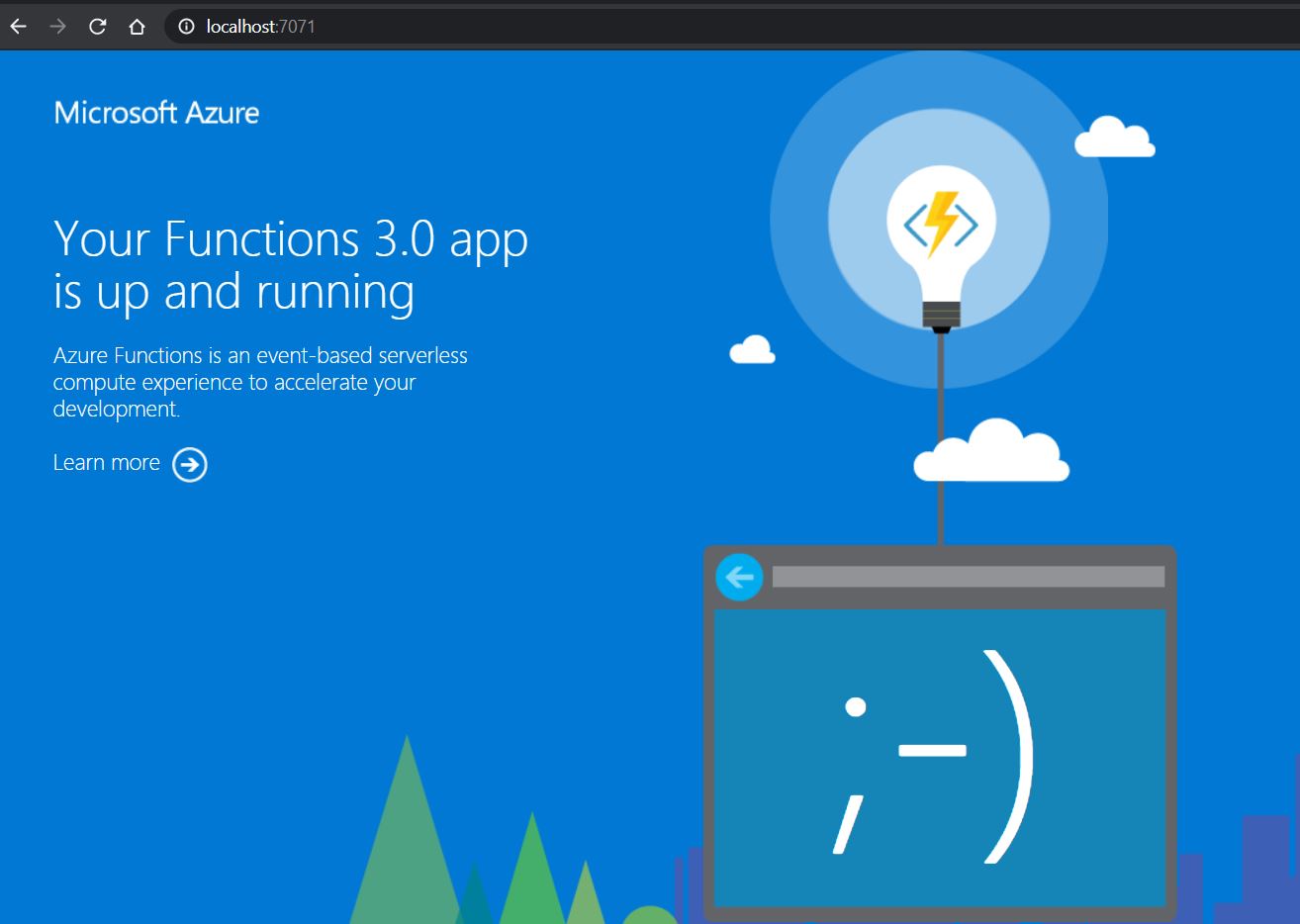
From Azure Function v2, .NET developers can now write functions using .NET Core. This means you can develop and run your Azure functions in more places (cross-platform). This opens up opportunities for running your Azure function in Docker container and taking it one step ahead by running Azure Functions on Kubernetes with KEDA (Kubernetes-based Event Driven Autoscaling). In this blog post, we will see how to run Azure Function in Docker Container. Now few questions arise like why do we need to run in a container, do we lose the benefit of Serverless because you will be paying only for the time your function is running based on your plan in Azure Function, etc. All these questions are valid but as soon as we enter the world of containerization and Kubernetes we want our application to be flexible enough to be hosted in an on-premises/cloud/hybrid environment. With containerization now you can use Azure Functions as your...
Azure Container Registry Image Scanning With Azure Security Center

Just to recap in the previous blog post we looked into how to secure Azure Container Registry and in this post will see the offering from Azure Security Center. Azure Container Registry (ACR) is a manged, private container registry service in Azure to build, store, and manage container images and artifacts. ACR service based on the open-source Docker Registry 2.0. This post explains, what you get from Azure Security Center in the context of ACR. Image scanning is important for any Docker registry. Vulnerability scanning for images stored in Azure Container Registry is now generally available in Azure Security Center (March 2020). This capability is powered by Qualys and seamlessly integrated into the Azure Security Center. ACR image scanning requires Azure Security Center Standard tier . When you push an image to Container Registry, Security Center automatically scans it, then checks for known vulnerabilities in packages or dependencies defined in the file. Each scan tak...
WSL2: Linux on Windows
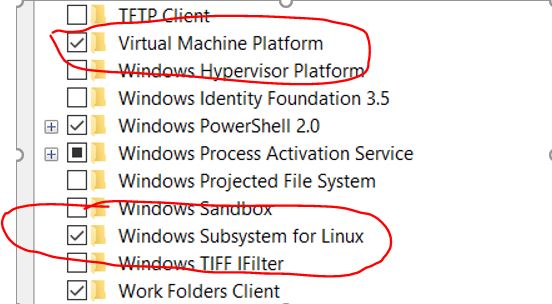
Windows Subsystem for Linux (WSL) 2 is no longer just for insiders, you can install WSL2 today with Windows 10, Version 2004 , Build 19041 or higher. The Windows Subsystem for Linux lets developers run a Linux environment on Windows like command-line tools, utilities, and applications directly on Windows, unmodified, without the overhead of a traditional virtual machine or dual boot setup. WSL 2 provides improvements to file system sharing, boot time and allows access to some cool new features for Docker Desktop users. With Docker Desktop running on WSL 2, users can leverage Linux workspaces and avoid having to maintain both Linux and Windows build scripts. In short, now we can have a Linux development environment on Windows. Step 1: Update Windows 10 to version 2004 or higher To use WSL2, Windows 10 has to be updated to version 2004 (Build 10941) or higher. Once installed or updated check your Windows version by opening the “Run” dialog (Windows key + R) and enter win...
How to deploy containers into Azure Container Instances(ACI) using Docker Desktop?

Recently there was an announcement (May 2020) about Docker partnership with Microsoft Azure for shortening the developer commute with Docker desktop and running containers in Container Instances in Azure. The new edge release of Docker Desktop provides an easy and quick integration between Docker and Microsoft Azure that enables you to use native Docker commands to run your applications as serverless containers with Azure Container Instances. As a developer I can make use of the same Docker CLI commands and experience which I use locally, to interact with Azure (ACI) as well. This experience is achieved by extending the existing docker context to support ACI. Pre-requisites Docker Desktop edge release latest Azure Subscription with Azure Container Registry (ACR). Container image in ACR Docker CLI commands for ACI Log into Azure from the Docker CLI docker l...
Building a CI pipeline for Containerized Asp.NET Core 3.1 using ACR Registry

This is continuation of a series of posts on using Docker and containerization with .Net Core. If you are new to this series its recommend to look at Getting started with Docker and Containers In this post will show how to setup a pipeline that continuously builds a repository that contains a Docker file. Every time you change your code and commit, the image is pushed to ACR Registry. Pre requisites 1. Github account 2. Azure DevOps Organisation if you don’t have one, you can create for free 3. Ensure you’re administrator of the Azure DevOps project 4. Azure Container Registry – more details can be found here 5. Azure Project to be created in Azure DevOps 6. Service Principal created in Azure – Creation process can be found here Get the co...
Building a CI pipeline for Containerized Asp.NET Core 3.1 using Docker Registry

This is continuation of a series of posts on using Docker and containerization with .Net Core. If you are new to this series its recommend to look at Getting started with Docker and Containers In this post will show how to setup a pipeline that continuously builds a repository that contains a Docker file. Every time you change your code, the image is pushed to Docker Hub. Pre requisites 1. Github account 2. Azure DevOps Organisation if you don’t have one, you can create for free 3. Ensure you’re administrator of the Azure DevOps project 4. Docker hub repository – more details can be found here 5. Azure Project to be created in Azure DevOps Get the code from GitHub https://tinyurl.com/ydtggef6 Create the Pipeline 1. Sign in to your Azure DevOps Organisation and navigate to your project 2. ...
Containerising .NET Core 3.1 Application

This is continuation of a series of posts on using Docker and containerization with .Net Core. If you are new to this series its recommended to look at Getting started with Docker and Containers . . NET Core 3.1 released December 3, 2019 as a Long-term support release as part of this post we will see how to containerise a Web API type application. Getting Started In this post we are going to see how to build a Container based application and basic commands which we use everyday when working with containers. Prerequisite’s · Install Docker · ...