GitHub Copilot Customization Explained for Beginners: Instructions, Prompt Files, Skills, Agents, and Hooks Introduction If you've recently started using GitHub Copilot, you've probably come across terms like Instructions , Prompt Files , Skills , Agents , and Hooks . At first glance, they all seem to do the same thing—they tell Copilot what to do. So why does GitHub have five different customization features? The answer is simple: each feature solves a different problem. Think of GitHub Copilot as a new developer joining your team. On their first day, you don't just hand them code. You explain your coding standards, give them reusable templates, teach them specialized knowledge, assign them a role, and automate repetitive tasks. That's exactly how GitHub Copilot customization works. In this article, you'll learn what each feature does, when to use it, and how they all work together. By the end, you'll know which feature to start with and which ones can wait un...
Posts
Azure WebJob using .NET Core
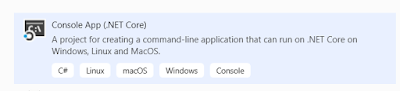
Background WebJobs is a feature of Azure App Service that enables you to run a program or script in the same context as a web app, API app, or mobile app. There is no additional cost to use WebJobs if you are running under the existing web app. WebJobs is not something new to Azure or .NET , there’s even a default Azure WebJob template in VS 2017 but for .NET framework. No VS template exists for Azure WebJob in .NET Core but that doesn’t stop us using .NET Core for WebJob. Creating WebJob in .NET Core is not hard but need to incorporate certain tweaks using HostBuilder and WebJobs SDK version 3.x. I have tried to incorporate end to end process with sample code snippet for Timer Trigger using .NET Core. .NET Core with WebJobs SDK versions 3.x Version 3. x adds support for .NET Core. Visual Studio tooling for .NET Core (3. x ) projects differs from tooling for .NET Framework (2. x ) projects. With 2.x you can still implement in .NET Core but with 3.x it simpli...